Systems & Automation
Internal systems and tooling that let small teams safely use AI agents
I’ve been writing software since 2017. The work I find most interesting right now is building the systems and tooling that let a small team automate work and safely collaborate with AI agents. In practice that means two things.
Operational systems: CRMs, databases, and import pipelines designed for correctness and maintainability, using schema architecture, change-detection automations, and documented conventions that survive staff turnover. Most of this work is for AI Safety organisations.
Agent tooling: open-source tools that make work done by AI agents verifiable. An agent that screenshots and reviews its own visual output, hooks that make agents test code before claiming it works, utilities for reading office documents, and Airtable tooling for schema diffing and standards checking. Agents are only useful if you can trust their output, and I trust them a lot more with this verification on top of it.
Everything public in this area is on my GitHub.
Projects in this area
All projects →CRM & Data Infrastructure for AI Safety Organisations
I build the infrastructure for AI Safety organisations to manage their contacts, program participants, alumni and donors while automating as much as possible
Vischeck
A hook, skill, and CLI that make AI agents screenshot and visually check their own UI changes
Readoc
CLI tools that let AI agents read and edit Word documents, Excel sheets, and PDFs
Rails Toolkit
Claude Code skills that teach AI agents modern Ruby on Rails 8 conventions, so agent-written code comes out idiomatic
Dev Hooks
Claude Code hooks and skills that make AI coding agents verify their work before declaring it done
Airtable Utils
Schema export, schema diffing, standards checking, and access auditing for Airtable bases, plus an agent skill for writing correct Airtable scripts
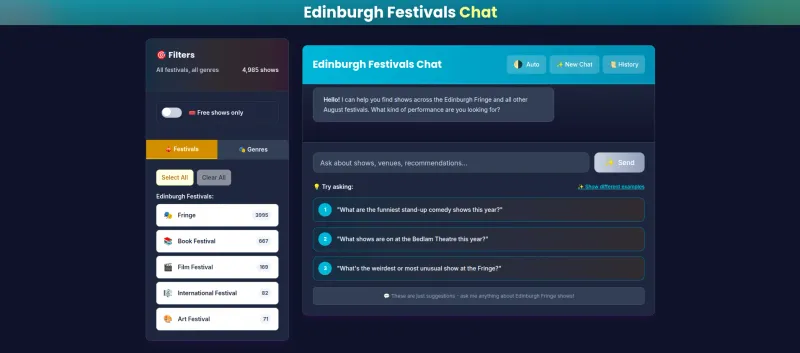
Edinburgh Festivals Chat
A chatbot that helps you decide which of the Edinburgh Fringe's 3,500 shows to actually go see
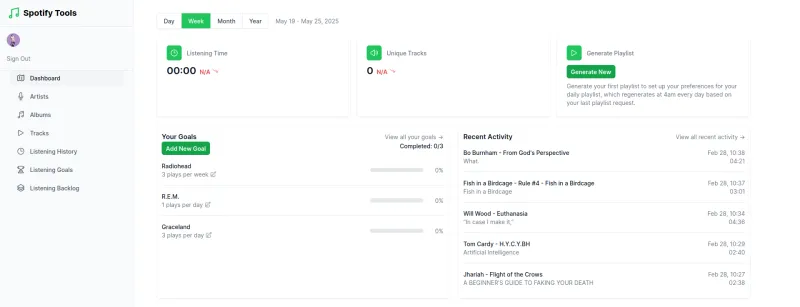
Spotify Tools
Listening goals and statistics for Spotify. Retired since Spotify stopped verifying apps from small developers
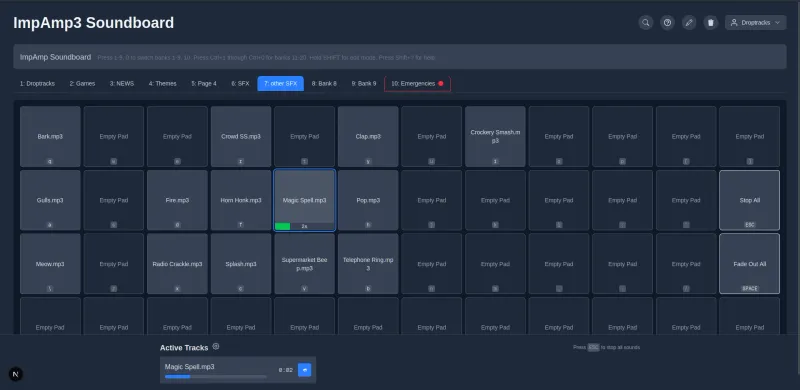
ImpAmp 3
Web soundboard for live improv comedy
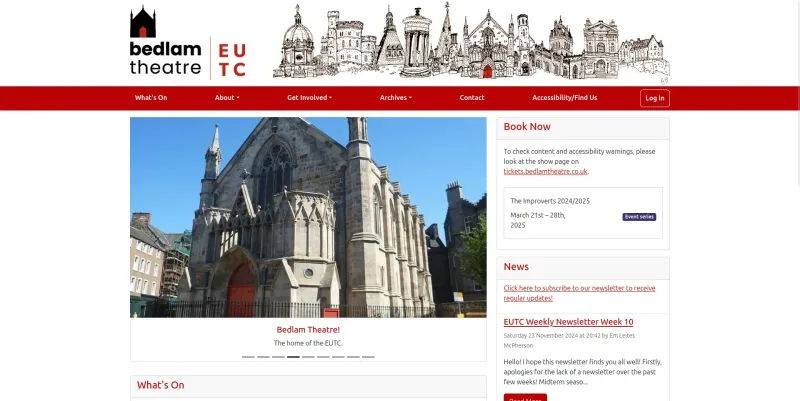
Black Lightning
Maintainer of the Rails application that runs Bedlam Theatre
I build the infrastructure for AI Safety organisations to manage their contacts, program participants, alumni and donors while automating as much as possible
Vischeck makes an AI agent screenshot its own UI changes and actually look at them before reporting back. Agents are happy to call a layout “good” just by rereading their own code that they never rendered. This package of hook, skill, and CLI makes them take an authenticated screenshot of the local dev server and look at it before declaring victory.
The screenshot CLI handles dev-server auth automatically, and supports dark mode, mobile viewports, element-level captures, and batch screenshots of whole page sets. The hook fires whenever the agent edits a view or template file, so visual verification happens by default.
Sometimes your agent needs to read or write to a Word doc or Excel spreadsheet. By default, it will have to wrangle some Python to do so, so why not make its life a bit easier? Readoc provides 3 different CLIs: readoc extracts the contents of a .docx, .xlsx, or PDF as structured text, readir explores and searches whole folders of mixed documents, and editdoc makes targeted edits to Office files without mangling their formatting.
Point an agent at a shared drive full of policies, budgets, and reports, and it can easily do something useful with them.
Rails Toolkit is a set of Claude Code skills that encode modern Rails 8 conventions and my own project rules, so agent-written code comes out following my interpretation of the Rails way: thin controllers, concern-based models, Solid Queue jobs, Stimulus controllers with modern JavaScript, Hotwire/Turbo patterns, and fixture-based tests.
It also includes some larger workflows: a full application audit that combines the individual skills into a severity-ranked health report for inherited codebases, a database performance review, and a few vendored skills, including an upgrade analyser covering breaking changes from Rails 2.3 through 8.1 and a skill to finally get your test output to not include unnecessary logs.
AI coding agents love saying “this should work now” about code that has never even been run. Dev Hooks is a collection of Claude Code hooks and skills that make sure they do check their work and apply best practices without having to prompt them yourself all the time.
Also includes my personal dev-env setup, built on mise.
Many small organisations run on Airtable, but Airtable has no built-in tools that you need once your bases start to grow. Airtable Utils provides these:
- Schema export: dump a base’s full structure (tables, fields, views) to JSON for ingestion by AI agents, documentation and version control.
- Schema diff: compare two schema exports to see what was added, removed, renamed, or retyped.
- Standards check: validate a base against a written set of naming and structure conventions.
- Access audit: list collaborators and permissions across bases to see who can touch what.
It also includes an agent skill for writing Airtable scripts (both scripting-extension and automation scripts) that encodes the API’s quirks and limits to reduce the otherwise slow and manual iteration process.
These grew out of my CRM and database work for AI Safety organisations, where the Airtable base often is most of the institutional memory and heavily used and updated.
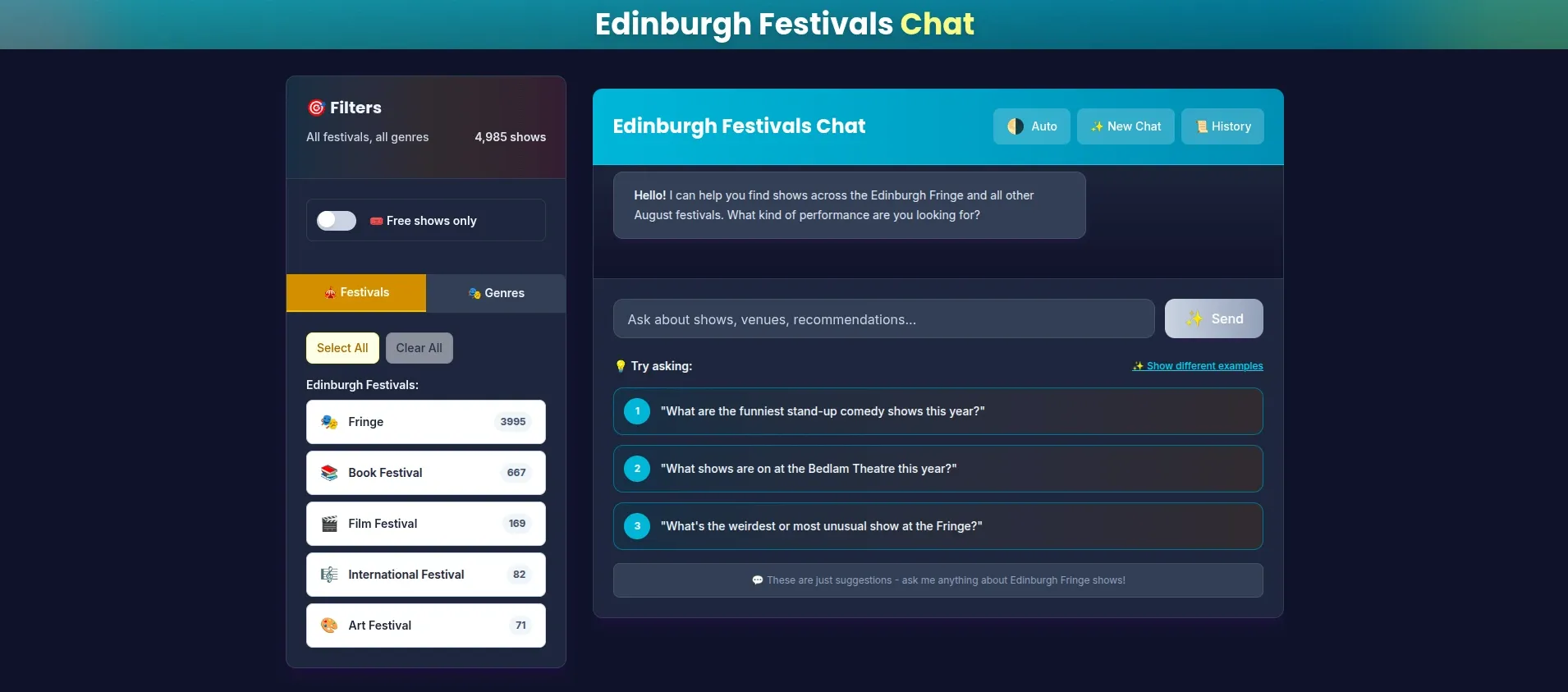
The Edinburgh Festival Fringe has around 3,500 shows. I used to read the programme cover-to-cover, but that still didn’t tell me much about the shows themselves and which ones I should really go see, so I built the tool I wanted instead: a chat interface where you can just ask the programme what you should go see.
Under the hood it’s a RAG pipeline which does semantic search over the festival data with ChromaDB vector storage, category filtering, and a FastAPI backend serving a React/TypeScript frontend.
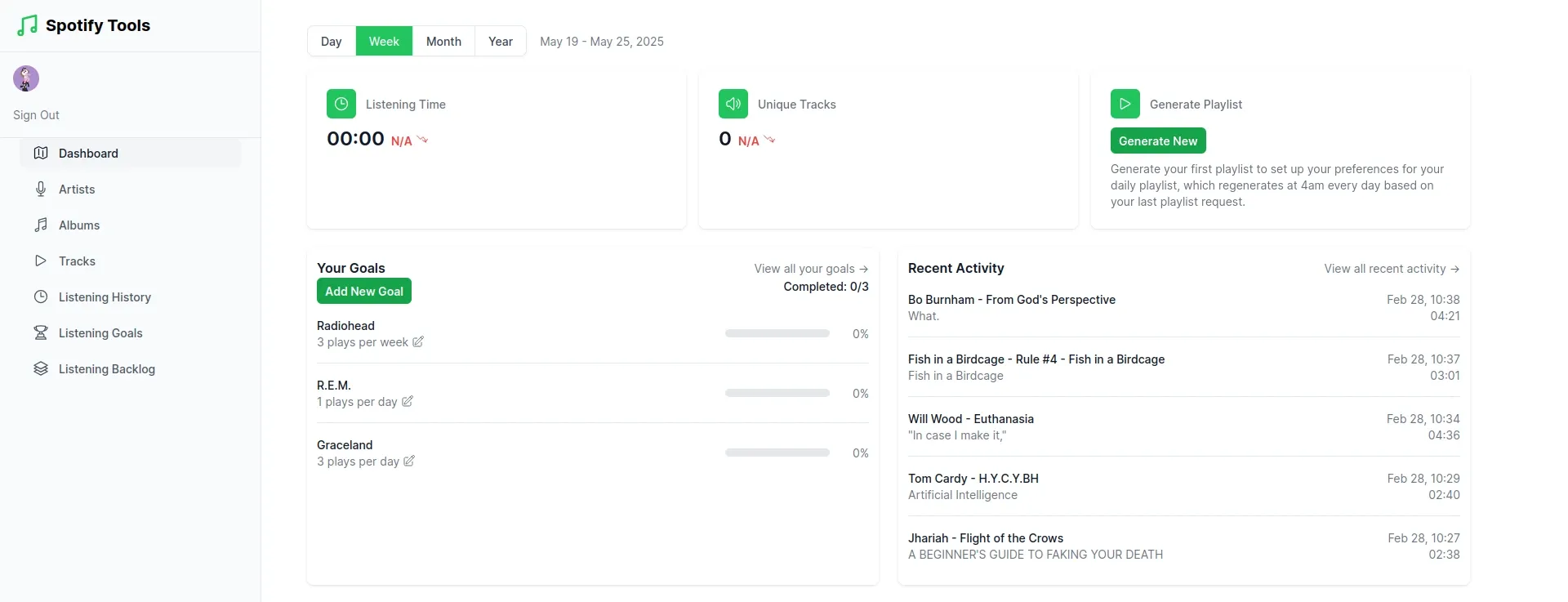
Spotify Tools lets you set listening goals for artists, albums, and tracks you want to hear more of. It syncs with your Spotify listening history, tracks your progress, and generates playlists of exactly the music you still want to listen to. You also get detailed statistics about your listening habits.
Unfortunately, Spotify no longer verifies small apps from individual developers, so it is not publicly accessible. If you would like to try it, contact me with your email, and I can give you access.
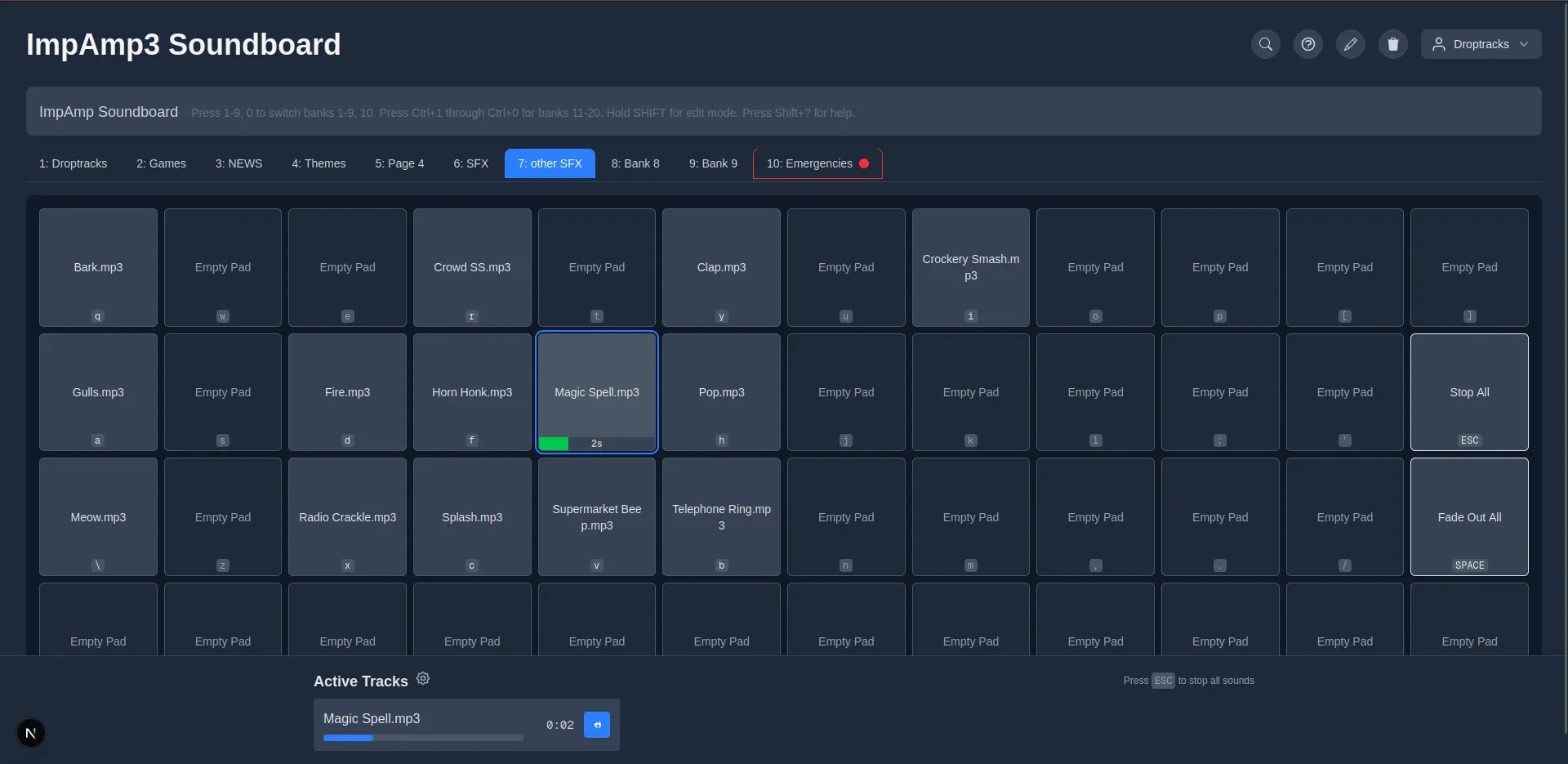
ImpAmp is the soundboard Bedlam Theatre uses for live improv comedy, where a sound effect is only funny if you can find it before the performers move on. It supports multiple soundbanks, instant search, arming tracks, multiple sounds per pad, and Google Drive sync so you can share your soundbanks with the whole team.
This third version contains many improvements over the previous versions developed by the previous generation of IT, and was also an experiment in AI-driven development: I built it in Next.js using Claude 3.7 Sonnet and Gemini 2.5 back when agentic AI coding was just a few months old. It has been used to run shows ever since.
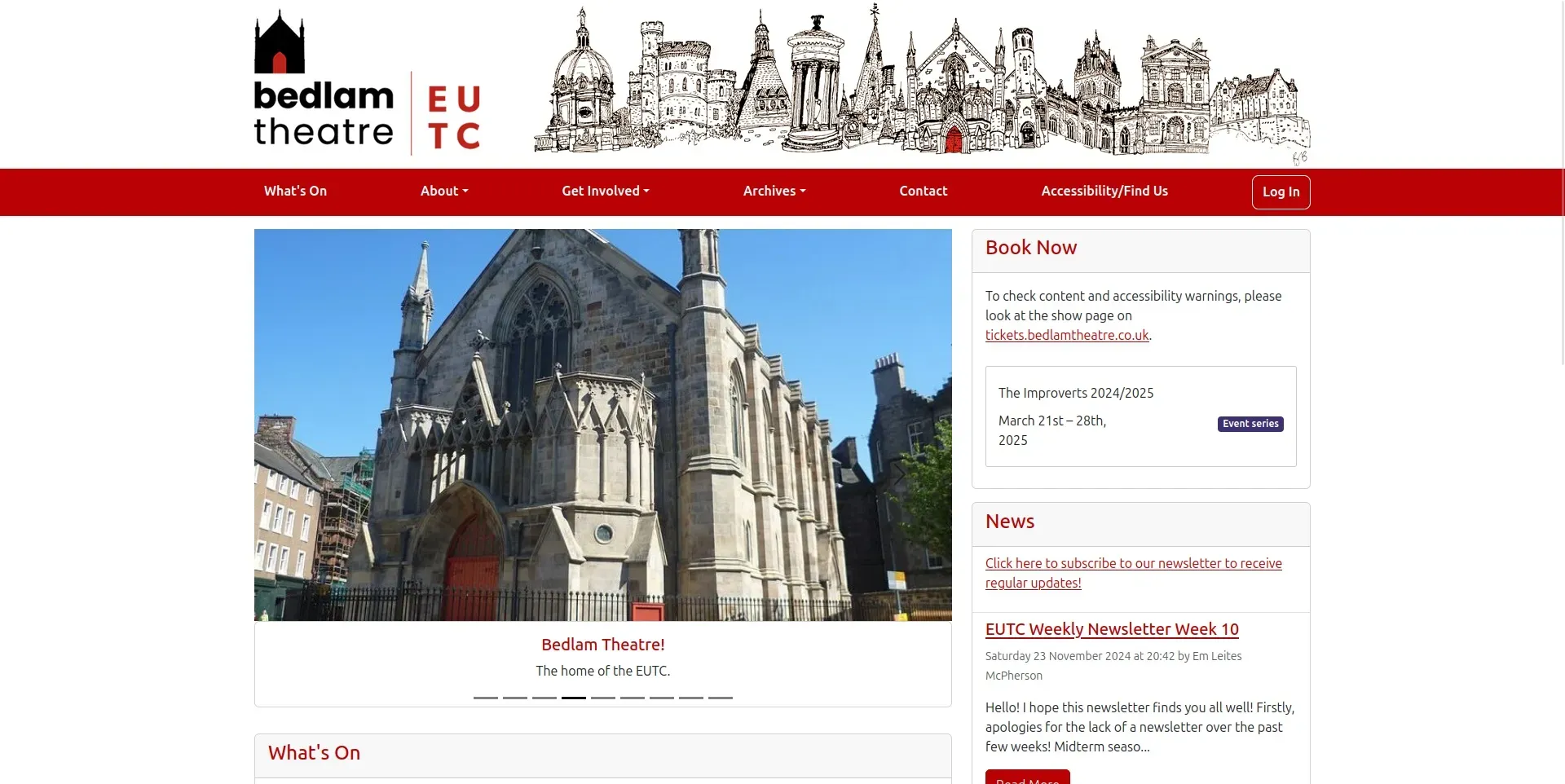
Black Lightning is the Ruby on Rails application behind bedlamtheatre.co.uk. It hosts the public website, show archive, and internal administration system of the Edinburgh University Theatre Company. This app keeps proposals, shows, seasons, and members organised and manageable for the committee and show teams.
I took over maintenance of a codebase that had outlived several generations of student developers and carried it through major upgrades, from Rails 5 all the way to Rails 8, modernising the stack and Dockerising deployment along the way. It is where I learned most of my web development and product skills, because you learn most when writing code that is actually used by users who need it to do their jobs.